Billing & Plans
Choose the plan that fits your needs. Every plan includes full access to company search, risk scores, and monitoring — plans differ in monthly token allowance, API limits, and the number of monitored companies.
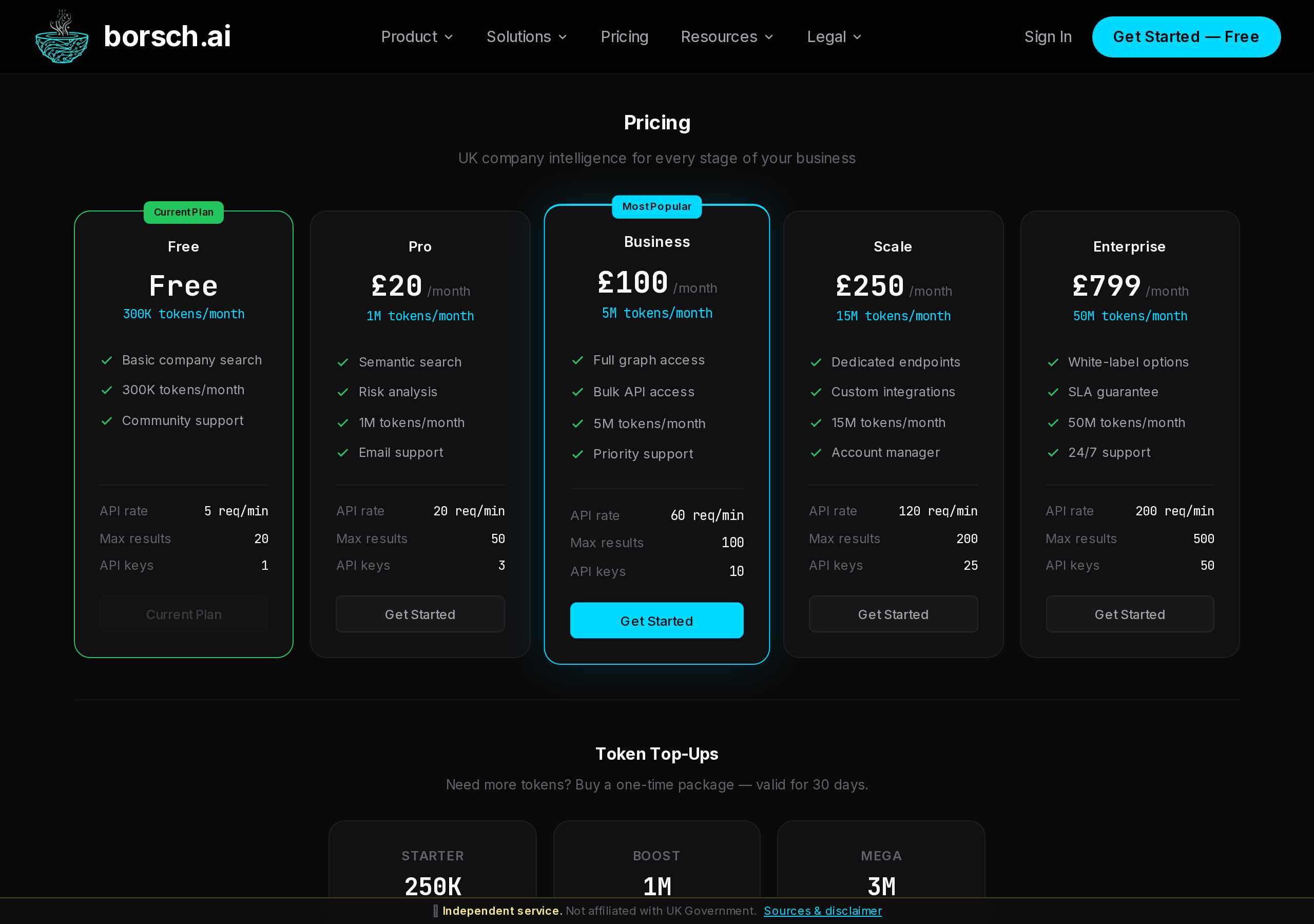
Subscription Plans
| Plan | Monthly Tokens | Price | Best For |
|---|---|---|---|
| Free | 100,000 | Free | Trying out the platform, occasional lookups |
| Pro | 1,000,000 | £20/mo | Freelancers, small due diligence teams |
| Business | 5,000,000 | £100/mo | Mid-size teams, compliance departments |
| Scale | 15,000,000 | £250/mo | Large teams, API-heavy integrations |
| Enterprise | 50,000,000 | £799/mo | Organisations with high-volume requirements |
Upgrading Your Plan
Downgrading Your Plan
To downgrade, go to your Account page and select a lower plan. The change takes effect at the start of your next billing cycle — you retain full access to your current plan until then.
When downgrading, be aware that:
- Your monthly token allowance will decrease at the next billing cycle
- API key limits may be reduced — excess keys will not be automatically deleted, but you will need to remove them before creating new ones
- Monitoring limits may decrease — excess monitors remain active but you cannot add new ones until under the limit
Token Top-Ups
If you run out of tokens before the end of the month, you can purchase additional tokens without changing your plan. Top-ups are available from your Account page.
- Top-up tokens are valid for 30 days from purchase
- Top-up tokens are consumed after your monthly allowance is exhausted
- Unused top-up tokens do not roll over to the next month
Invoices
All invoices are available from your Account page under the Billing section. You can download invoices as PDF files for your records or accounting.
Invoices are generated automatically after each payment, including subscription renewals and token top-ups.